IoT network segmentation guide: VLAN for IoT isolation
"The growing number of connected devices in our homes and offices creates a massive attack surface that traditional security often fails to contain."
Implementing VLAN for IoT isolation is the most effective way to prevent a single compromised smart device from exposing your entire local network. This guide covers how to segment traffic, the benefits of logical separation, and the steps to establish a secure environment.
How do you begin VLAN for IoT isolation?
At midnight in the dim office, I tap the keyboard as I begin to map every device on the local network.
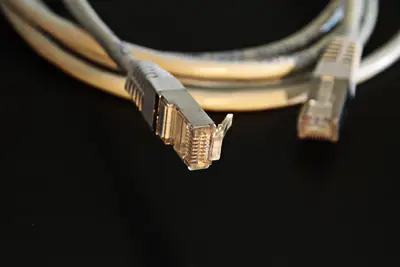
A technician sits at a desk, plugging a single Ethernet cable into a managed switch while the blinking lights of various smart sensors flicker in the background.

To begin the process of designing secure isolation networks, you must first identify every device that requires connectivity and categorize them by their security risk level.
According to a report by Gartner, a survey of 200 IT leaders revealed that 69% experienced budget overruns in their organizations' cloud expenditures during 2023. While this specific statistic focuses on cloud costs, the principle of resource management applies to local network architecture as well.
You cannot secure what you have not mapped.
The first step involves auditing your hardware to determine which devices belong on a guest network and which require access to sensitive data. Once the inventory is complete, you can begin the technical implementation of IoT network segmentation.
- Identify all IoT devices currently on the network.
- Define specific VLAN IDs and subnet ranges for these devices.
- Configure the switch ports to assign devices to their designated VLANs.
Why is network segmentation necessary?
At midnight in the dim office, I stare at the screen and realize how a single breach could collapse the entire network.
An administrator stares at a network map where a single red line connects a smart light bulb to a primary database server, highlighting a massive vulnerability.
The primary goal of building robust IoT security systems is to ensure that a breach in a low-security device does not lead to a total network takeover.
By creating separate virtual networks, you effectively wall off vulnerable hardware from your critical workstations and servers. This prevents lateral movement, where an attacker uses a compromised smart plug to reach a laptop containing sensitive information.
Effective IoT network segmentation ensures that even if a device is hijacked, the damage is confined to a single, isolated segment. This strategy limits the blast radius of any potential security incident.
In this sequence, the second step is the most critical.
How to execute a secure IoT VLAN setup?
With a steady hand, the technician plugs the cable into the switch in the dark server room to begin configuring the new network.
A network engineer types commands into a terminal window, carefully configuring VLAN IDs to separate the office traffic from the wireless printer traffic. Implementing a secure IoT VLAN setup requires a disciplined approach to configuration to prevent accidental leaks between segments.
To establish a reliable environment, follow these three steps:

- Define distinct VLAN IDs for different device classes, such as one for smart home sensors and another for office hardware. 2. Configure Access Control Lists (ACLs) on your router or multilayer switch to restrict communication between these VLANs. 3. Set up a final check to ensure that devices in the IoT VLAN cannot initiate connections to the primary data VLAN.
I personally found that verifying these rules through a connectivity test is the most critical part of the process. Without a successful check, the logical separation remains theoretical rather than functional.
What are the benefits of strengthening security with VLAN?
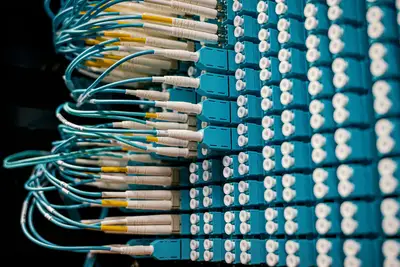
A security auditor walks through a server room, checking the cables to ensure no unauthorized devices are bridging two different network segments. Strengthening security with VLAN allows administrators to manage traffic more efficiently while maintaining strict privacy controls.
The ability to isolate IoT devices provides a layer of defense that software-only solutions often lack. It allows for the coexistence of high-risk and high-security devices on the same physical infrastructure without compromising the integrity of the primary network.
| Feature | Traditional Network | VLAN-Enabled Network |
|---|---|---|
| Risk Containment | Low | High |
| Traffic Control | Limited | Granular |
Using these tools, you can manage a growing number of devices without constantly upgrading your physical cabling or hardware.
Can you apply these rules to existing conditions?
A manager reviews a budget spreadsheet, noting that 31% of IT leaders whose organizations stayed within budget attributed their success to accurate forecasting and budgeting, proactive monitoring of spending, and effective optimization.
In an existing network environment, applying these principles requires careful planning to avoid downtime.
When applying these steps to an active network, you must first ensure your hardware supports 802.1Q tagging. If your current switches are unmanaged, you will need to upgrade them to support VLAN tagging before you can implement isolation.
- Audit existing switch capabilities to confirm VLAN support. 2. Map current IP address ranges to existing and new VLAN segments. 3. Execute the migration during a scheduled maintenance window to prevent service disruption.
A final check involves verifying that all legacy devices still have necessary connectivity after the migration.
How does this affect network performance?
A user waits for a file to download, noticing that the high-speed connection remains stable even while a video stream runs on a separate device. While modern networks handle massive amounts of data, the underlying structure determines how that data moves.

By contrast, although the existing telephone network's speed for individual connections was limited to 56 kbit/s (less than one hundredth of Ethernet's speed), the total bandwidth of that network was estimated at 1 Tbit/s (100,000 times greater than Ethernet).
While we deal with much higher speeds today, the logic of managing bandwidth through segmentation remains vital.
Isolating heavy-use devices into their own VLAN can prevent them from saturating the bandwidth needed by critical business applications. This ensures that high-traffic IoT devices do not interfere with the performance of your primary work environment.
The subject here is VLAN for IoT isolation.
The same subject is also called Network security with VLAN.
This part also covers Strengthening security with IP isolation.
Designing secure isolation networks
Related




Comments 0